Gather: Family Location & GPS
- 4.6
- Rating
- 100.00K
- Installs
- Free
- Price

 Analysis by App-foxy
Keeping track of the people I care about can be useful, but it can also become awkward when every check-in turns into a message, a phone call, or a request for an update. Gather: Share Family Locations takes a more direct approach by focusing on live GPS location sharing and family locating in one lifestyle app. After spending time with it, I see its main value less as a social network and more as a practical way to reduce uncertainty between relatives and close friends.
The idea is simple: people who choose to stay connected can use location information to understand where one another are. That can make everyday coordination easier, especially when someone is travelling, commuting, meeting the family, or returning home later than expected. It does not replace a conversation, and I would not treat a map as proof that everything is fine, but it can remove a lot of unnecessary back-and-forth.
Gather is free, developed by gather.life, and aimed at a general audience with an Everyone content rating. It runs on Android devices using Android 7.0 or later. Its current version is 1.346.8, and the app has passed the 100K-install mark with a 4.7 average from around 2.5K ratings. Those figures suggest that the concept is resonating with a meaningful group of users, although a high rating should not be mistaken for a guarantee that the app will suit every family.
You May Also Like

 Blood Strike: 2.5 Anniversary
Blood Strike’s Loadouts Turn Every Drop Into a Tactical Gamble
A close look at Blood Strike’s custom loadouts: how fast access to signature weapons reshapes its battle royale rhythm, rewards preparation, and narrows the gap between fights.

 Pandora - Music & Podcasts
Pandora’s Music Is Easy to Start, but Harder to Recover
Pandora’s strength is its low-effort path from a seed to a station. Its weak spot is how much confidence it asks you to place in connection, setup, and quiet recovery.

 8 Ball Pool
 Is Built on Rivalries, Rematches, and Routine
A close look at the rivalries, rematches, shared routines, and unanswered safety questions that turn a quick pool match into a persistent mobile community.

 Samsung Music
’s Quiet Strength Is Playing What You Already Own
Its reach comes less from spectacle than from dependable access to a personal library. That simplicity is both the app’s strongest retention engine and its ceiling.

 AccuWeather: Weather Radar
AccuWeather Review: A Quick, Clear Forecast for Everyday Decisions
For everyday plans, the best forecast is the one you can understand quickly. AccuWeather makes rain timing, radar, and local conditions easy to act on, with a few trade-offs.

 Hill Climb Racing
Why Hill Climb Racing Still Turns Crashes Into One More Run
A tiny car, a bumpy hill and one more upgrade: Hill Climb Racing keeps resurfacing because its simple chaos makes every near-miss feel personal.
More From Our News Desk
View All News


Live location is the feature that defines Gather
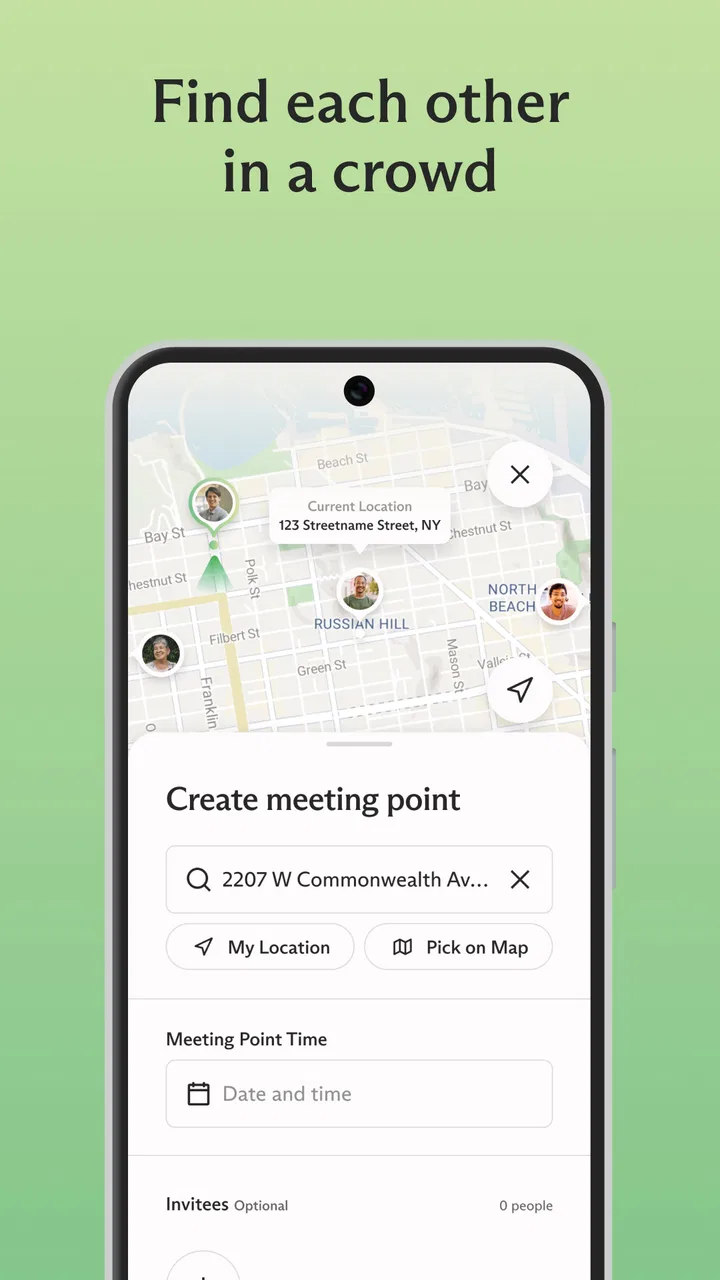
The most important capability here is live family location sharing. That wording matters because the usefulness comes from seeing a current position rather than simply telling someone where you were earlier. When a family member is on the move, location context can answer a practical question quickly: are they still travelling, already nearby, or somewhere else entirely?
In my experience, this changes the rhythm of communication. Instead of sending “Where are you?” and waiting for an answer, I can first look at the shared location and then decide whether a message is actually needed. That is a small change, but it is the difference between using a phone as a constant interruption and using it as a quiet coordination tool.
The capability is especially helpful when plans are flexible. A parent may want to know whether a child has started the journey home. Partners may want a rough idea of when the other person will arrive. Friends meeting in a busy area can use location context to avoid repeatedly describing landmarks. These are ordinary situations, but they are exactly where a focused locator can earn its place.
There is also an important human side to this feature. Location sharing only works well when everyone involved understands why it is being used and feels comfortable with the arrangement. I would introduce Gather as a convenience for coordination, not as a surveillance tool. A family that agrees on the purpose beforehand is much more likely to use it calmly and respectfully.
What the map changes in everyday communication
A text message gives you a statement from a person at a particular moment. A location view gives you a different kind of information: a sense of movement and proximity. Neither is automatically better. A message can explain a delay, while a map can show that someone is still on the way. The strength of Gather is that it addresses the second problem without requiring the person to stop and type.
That makes the app most valuable when timing matters but conversation is inconvenient. Someone cycling, travelling on public transport, carrying shopping, or dealing with a busy day may not want to answer repeated questions. A shared location can provide reassurance without asking for another response.
At the same time, I would avoid interpreting the map too precisely. A displayed position is useful context, not a detailed account of a person’s actions. If someone appears stationary, that does not explain whether they are waiting, working, visiting a shop, or dealing with a problem. The responsible habit is to use the location as a prompt for sensible communication, not as a replacement for trust.
How I would use it in practice
Getting value from Gather depends on setting up a useful circle rather than adding everyone indiscriminately. I would begin with the people who genuinely need shared location context: household members, a partner, close relatives, or a small group of friends who regularly travel together. A smaller group makes the information easier to understand and keeps the purpose clear.
Before relying on it, I would make sure each person knows who can see their location and when sharing is expected. This is one of the less obvious but most important parts of using a location app well. The technical setup may be straightforward, but the social setup determines whether the experience feels supportive or intrusive.
For a normal day, I would treat the app as a background reference. If a family member is travelling home, I can check the shared location when I need context instead of asking for updates every few minutes. If their route changes or their arrival is delayed, I can then send one specific message rather than several vague ones.
A useful workflow is to check the map before making a call. If the person is clearly still travelling, a call may be unnecessary. If their location does not match the plan, that is a better reason to contact them. This approach reduces noise and makes the conversations that do happen more meaningful.
Another practical tip is to agree on exceptions. For example, a family might decide that location sharing is mainly for journeys, meetups, or late arrivals rather than an expectation that everyone must be visible at every moment. That boundary makes the app easier to live with and avoids turning a convenience feature into a daily obligation.
A realistic family journey
Imagine a household where one person finishes work at an uncertain time, another is preparing dinner, and a child is travelling back from an activity. Without a location tool, the evening can fill with small messages: leaving now, nearly there, delayed, which entrance, can you pick me up? With Gather, the family can look at the shared locations and coordinate only when a decision is needed.
If the child is still on the way, the parent does not need to interrupt them for an update. If the person coming from work is close, dinner timing can be adjusted. If two people are meeting at a crowded place, the map can help them recognise who is approaching without a long exchange of descriptions.
The benefit is not dramatic in a single moment. It is the gradual removal of small uncertainties. Over several days, that can make a household feel less dependent on constant messaging. I would describe this as a quiet convenience rather than a transformative feature, but quiet conveniences are often the ones people keep using.
For this scenario to work, everyone still needs a backup habit. If a journey is important, a direct message or call remains the right choice when something seems wrong. Location sharing can help people decide when to communicate; it cannot explain every situation or guarantee a person’s safety.
Where the experience has friction
The main trade-off is privacy. A live location feature is inherently sensitive, so Gather is not a good fit for anyone who dislikes sharing their movements or who feels pressured to remain visible. Even among relatives, closeness does not automatically mean unlimited access. I would skip the app if the people involved cannot agree freely on the boundaries.
There is also a risk of overchecking. The easier it becomes to look at a map, the more tempting it can be to check it whenever someone is late, quiet, or taking an unfamiliar route. That can create anxiety instead of reducing it. In my view, the healthiest use is occasional and purposeful: check for coordination, then return to normal life.
Location information can also be misunderstood. A map may not tell you why someone is in a place, whether they are available, or whether they want to talk. If a user expects the app to provide detailed status updates, the experience may feel incomplete. Gather’s strength is location context, not a substitute for personal explanations.
Battery and connectivity are practical considerations for any app built around live GPS location. A phone needs to be able to determine and share its position, and the result can be less useful when the device is unavailable or the connection is unreliable. I would not make the app my only plan for collecting someone from an unfamiliar place or checking on an urgent situation.
Another trade-off is that the app’s value depends on participation. If only one person shares a location while the rest of the group does not, it becomes a one-sided tool rather than a family coordination space. The best experience comes when the group has a clear reason to use it and everyone understands the arrangement.
How it compares with ordinary alternatives
The usual alternative is messaging. Messaging is more flexible because it lets people explain plans, send directions, and discuss changes. However, it also requires someone to read and answer. Gather is better when the question is simply “where are they in relation to me?” and a written reply would be unnecessary.
Phone calls are stronger when a situation needs immediate clarification. A call gives tone, detail, and a chance to respond to unexpected problems. It is also more disruptive. I would use Gather to decide whether a call is needed, not to eliminate calls altogether.
Traditional meeting arrangements can work perfectly well for people who have predictable routines. If everyone knows the time and place, a dedicated location app may add little. Gather becomes more compelling when plans change often, journeys are spread across a household, or people regularly meet without fixed landmarks.
Compared with a broad social app, Gather feels more focused because its central purpose is family location sharing rather than public posting, entertainment, or general social activity. That focus is a strength for users who want a practical locator. It is less appealing to someone looking for a full communication platform with rich conversation tools or a large social community.
Small habits that make location sharing more useful
I would recommend starting with one clear use case instead of trying to make the app part of every interaction. A family could begin with journeys home, then decide later whether meeting up or travel plans deserve the same treatment. This makes it easier to judge whether the feature is genuinely helping.
It is also worth agreeing on what counts as a reason to contact someone. If a person is delayed but still moving along the expected route, a message may not be necessary. If the location seems inconsistent with the plan, a polite check-in makes more sense. This simple rule prevents the map from becoming a source of constant commentary.
For meetups, I would use the location as a way to choose a meeting point rather than staring at the screen continuously. If two people are approaching from different directions, a quick look can reveal which entrance or nearby spot is most practical. Once the group is together, the app has done its job.
For families with different comfort levels, a conversation about visibility is more useful than a technical argument. Some people may want sharing during a journey but not throughout the day. Others may be happy to share with a partner but not with a wider group. Gather works best when those preferences are treated as part of the setup rather than as an inconvenience.
I would also keep expectations realistic for younger users and older relatives. The Everyone rating makes the app broadly accessible, but accessibility in an age-rating sense does not remove the need for clear guidance. Anyone who may find location technology confusing should be shown what the map means, who can view it, and when they are expected to use it.
Who benefits most from Gather?
The strongest audience is families and close groups whose days involve movement, changing schedules, or regular coordination. Parents, partners, relatives living together, and friends who travel as a group can all gain from seeing location context without sending repeated requests for updates.
It is particularly suitable for people who want reassurance but do not want a conversation every time someone is late. It can also help households where one person is often busy and cannot reliably answer messages while travelling. In those cases, the app’s value comes from reducing interruptions rather than creating more communication.
People who should skip it are those who do not have a shared need for location information, those who prefer strict separation between their movements and their digital life, and groups where location sharing would create arguments or pressure. A free app is not automatically the right choice if the social cost is uncomfortable.
I would also look elsewhere if your priority is detailed navigation, emergency response, extensive messaging, or a complete family management system. Gather’s appeal is narrower and clearer: it helps people who have agreed to share locations understand where one another are. If you need a different kind of tool, a general map service, messaging app, or dedicated safety solution may be more appropriate.
My final view after using it
Gather: Share Family Locations succeeds because it concentrates on one everyday problem: staying oriented to the people close to you without asking them for constant updates. The live GPS capability can make journeys and meetups calmer, especially when schedules are moving and messages would only repeat information.
My recommendation comes with a condition: use it with clear boundaries. The app is most helpful when location sharing is voluntary, limited to a real purpose, and treated as context rather than surveillance. Used that way, it can quietly remove friction from family life.
The free price and broad device support make it easy to try, while its strong average rating and growing install base show that the idea has found an audience. Still, the deciding question is personal: will seeing a loved one’s location reduce unnecessary communication in your routine, or will it encourage more checking? If it is the first, Gather is worth considering. If it is the second, ordinary messages and agreed meeting times may be healthier.
For me, the app is at its best when I glance at it, understand the situation, and put the phone away. Its real strength is not watching people; it is making small coordination decisions easier.
FAQs for Gather: Family Location & GPS
01What is Gather: Share Family Locations?
Gather: Share Family Locations is a mobile application designed to help families stay connected by sharing real-time location updates. It allows users to create private groups where they can see each other's locations, send messages, and set up geofences for alerts when someone arrives or leaves a specified area.
02How does Gather ensure user privacy and security?
Gather prioritizes user privacy and security by using encrypted data transmission and providing complete control over who can access your location. Users can customize privacy settings for each group, allowing them to share their location only with specific people. The app also ensures that your data is not shared with third parties.
03What platforms is Gather available on?
Gather: Share Family Locations is available for both Android and iOS devices. Users can download the app from the Google Play Store for Android or the Apple App Store for iOS. It is designed to work seamlessly across different devices, making it easy for families with diverse tech preferences to stay connected.
04Can I use Gather without an internet connection?
While Gather primarily relies on an internet connection for real-time location sharing and messaging, certain features like saved location history can be accessed offline. However, for accurate, real-time updates and communication, an active internet connection is necessary. Users are advised to ensure their devices are connected for the best experience.
05Are there any costs associated with using Gather?
Gather offers a free version with basic features suitable for most users. However, there is also a premium subscription available that provides additional features such as advanced location history, priority support, and more customization options. Users can choose the plan that best suits their needs and budget.
Pros
- Real-time location updates enhance safety.
- Simple interface is user-friendly for all ages.
- Battery consumption is minimal
- even when active.
- Customizable alerts for entering/exiting zones.
- Cross-platform compatibility ensures broad access.
Cons
- Some features locked behind a paywall.
- Occasional GPS inaccuracies in dense areas.
- Limited offline functionality without data.
- Notification settings can be overwhelming.
- Initial setup requires multiple permissions.

Gather: Family Location & GPS
Gallery